Nut Math
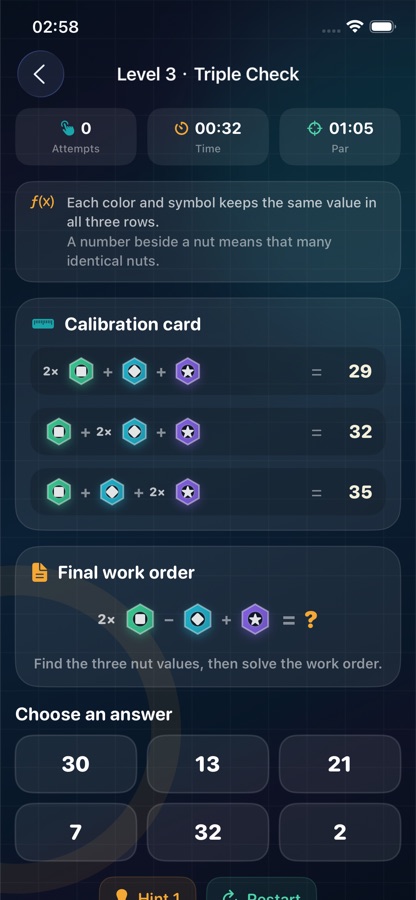
Compare three calibration equations, determine each nut value, and solve the final work order. Hints, par times, and stars help track your progress.
 Nutcraft Support
Official support
Calculate. React. Remember.
Step into a pocket workshop built around colorful nut equations, quick reactions, and symbol-matching memory challenges. This page contains gameplay guidance, troubleshooting help, and the official contact channel for Nutcraft.
Inside the workshop
Choose a careful calculation, a quick burst of speed, or a memory challenge.
Compare three calibration equations, determine each nut value, and solve the final work order. Hints, par times, and stars help track your progress.
Find the requested color-and-symbol nut before time runs out. Correct taps build a streak; an incorrect tap removes two seconds.
Turn over two cards at a time and match all eight nut pairs. Finish in fewer moves and less time to improve your personal records.
Game preview
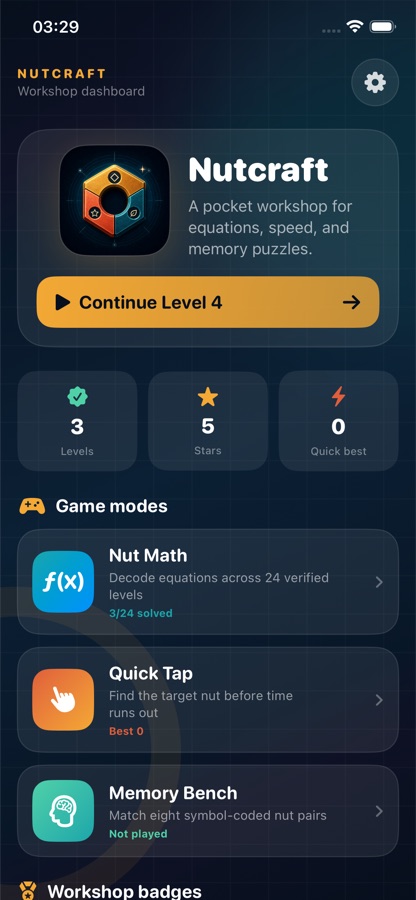
Resume your latest level from the dashboard or move between the three game modes at any time.
Comfort and access
Every nut uses a distinct symbol alongside color so that game pieces are easier to identify.
Interactive game pieces and answer controls include descriptive accessibility labels.
Settings includes optional haptic feedback and a Reduce Game Motion preference.
Common questions
The three game modes can be played offline after the App has been downloaded. Opening this support website or sending email requires an internet connection.
Solve the current Nut Math level to unlock the next one. Nut Math contains 24 levels.
Stars reflect answer attempts, hint use, and completion time. For three stars, solve the level on your first answer, without revealing a hint, and at or under the displayed par time.
Open Nutcraft, go to Settings, and choose “Reset game progress.” Completed levels, stars, and best scores will be removed. Haptic and motion preferences remain unchanged.
Nutcraft keeps game records in the App’s local storage. Deleting the App or erasing its data may remove those records, and support cannot manually restore local progress.
Include your iPhone model, iOS version, Nutcraft version, the game mode involved, the steps that led to the issue, and a screenshot if useful. Do not include passwords, financial details, or other sensitive information.
Technical support
Describe what happened and what you were doing when the issue occurred.
altmarkdezenzo519@gmail.com